



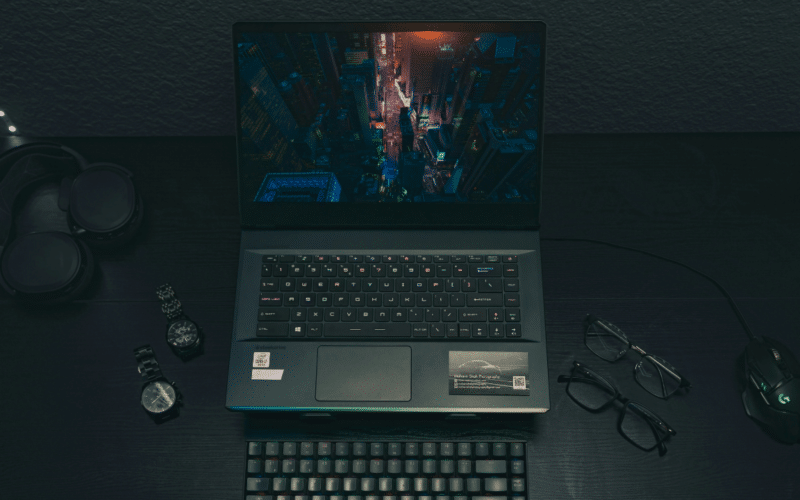
Selecting a gaming laptop begins with defining what you expect from it over the next several years. Instead of focusing on brand names, it is more practical to evaluate how specific hardware combinations align with your typical gaming sessions, workspace, and mobility needs. Many buyers start by reading structured guides such as how to choose a laptop for gaming, which outline common hardware tiers and explain how components interact under load. This early research phase helps you translate technical specifications into real-world behavior, preventing mismatches between expectations and actual performance. In this comprehensive guide, you’ll start understanding gaming laptop requirements.
Clarify your main use case before narrowing options. Competitive titles at high frame rates place different demands on hardware than cinematic single-player games at higher resolutions. If you use the laptop for work or study as well, battery behavior, webcam quality, and keyboard layout can be as relevant as graphics power. A defined scenario simplifies trade-offs and reduces unnecessary spending on features you will not use regularly.
Graphics Performance and Power Limits
The graphics processor is central to gaming output, but laptop GPUs operate within power limits set by each manufacturer. Two laptops with the same GPU name may deliver different results depending on cooling design and configured wattage.
Checking the declared power range and understanding how the system maintains that power over longer sessions is essential. Sustained performance matters more than short benchmark peaks because modern games can load the GPU continuously for extended periods.
The processor complements the GPU, especially in games that rely on simulation, physics calculations, or high frame rate targets. A balanced configuration prevents bottlenecks in which one component limits the other.
Beyond raw performance, pay attention to thermal management. The arrangement of fans, heat pipes, and ventilation affects not only frame rates but also keyboard temperatures and long-term component stability.
Understanding Gaming Laptop Requirements: Display Characteristics and Internal Components
The screen defines how you experience your hardware. A 1080p panel reduces GPU strain and can maintain higher frame rates, while 1440p or higher resolutions demand more graphical power but provide increased pixel density.
Refresh rate influences motion clarity, and response time affects how quickly on-screen changes are rendered. For users who also edit content, color accuracy and brightness range become relevant factors.
- Memory capacity: 16 GB supports most current gaming workloads; higher capacities may assist with multitasking and content creation.
- Storage configuration: NVMe SSDs reduce load times; an additional slot allows expansion without replacing the original drive.
- Upgrade options: confirm whether RAM is soldered and whether internal components are accessible for future changes.
Considering upgrade flexibility at the start can extend the usable life of the system. Even if you do not plan immediate upgrades, accessible memory and storage provide a practical path for adapting to new software requirements later.
Portability, Connectivity, and Daily Use
Gaming laptops vary significantly in weight, thickness, and build materials. A thinner chassis may prioritize portability, while a thicker design can allow more robust cooling.
Evaluate the device not only as a gaming platform but also as a daily tool. Keyboard feedback, trackpad size, hinge stability, and port placement influence comfort during extended use. Connectivity options such as USB-C, HDMI versions, and Ethernet support determine compatibility with external monitors and peripherals.
- Battery behavior: gaming on battery is limited; assess endurance for browsing and office tasks instead.
- Power adapter size: higher wattage often means a larger charger; consider travel needs.
- Noise levels: fan profiles vary depending on performance mode and cooling capacity.
External setup also matters. If you plan to dock the laptop at a desk with a monitor and mechanical keyboard, built-in speakers and trackpad quality may be secondary. If you use the laptop independently, integrated components become more important in everyday scenarios.
Understanding Laptop Requirements: Smart Gaming Hardware Decisions
Before making a final choice, compare the GPU power configuration, screen specifications, memory layout, and port selection against your intended usage. Verify warranty conditions and service coverage in your region, especially since gaming systems operate under sustained thermal load.
Many users refer to category overviews and specification breakdowns when reviewing options, and platforms such as TopTechChoices are often mentioned in discussions about aligning configurations with gaming goals. A structured comparison approach supports a purchase that reflects real usage rather than marketing labels.