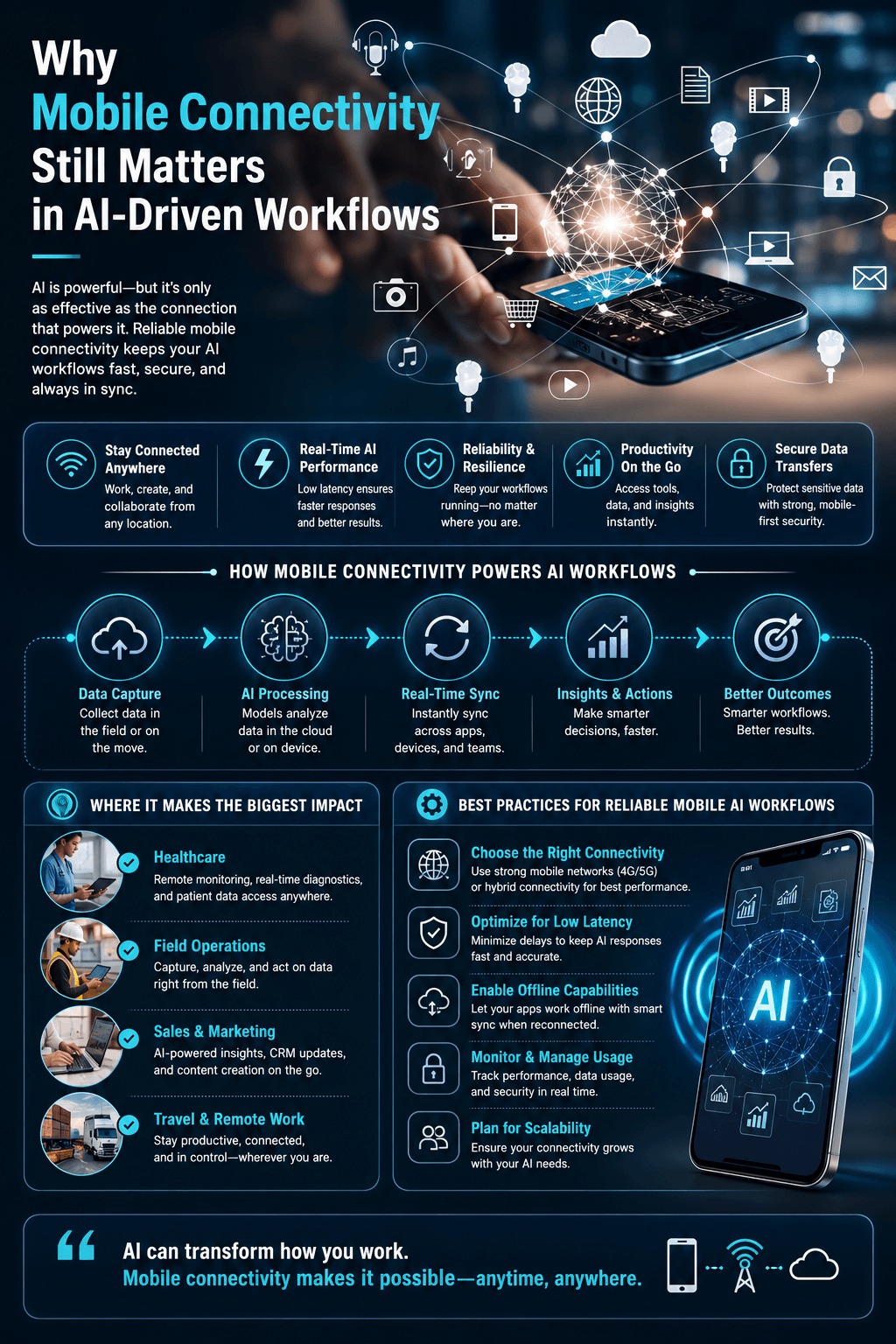
Why Mobile Connectivity Still Matters in AI-Driven Workflows
AI tools depend on cloud access. Here’s how to keep mobile connectivity, security, and offline fallbacks solid when the network isn’t.

Artificial intelligence tools have transformed the way developers, designers, writers, and digital creators approach their work. From code generation and automated design suggestions to content drafting and data analysis, AI-powered platforms now play a central role in modern workflows. In countries such as the United States, Canada, and India, remote collaboration and cloud-based development environments have become standard practice across industries.
While AI applications often receive most of the attention, their effectiveness depends on an often overlooked factor: stable and predictable mobile connectivity. Nearly all AI tools operate through web interfaces, cloud APIs, or real-time processing environments. Without reliable internet access, even the most advanced software like start-end frames in AI video becomes inaccessible.
Cloud-Based AI and the Need for Reliable Access
AI platforms typically rely on continuous communication with remote servers. Prompts are sent to cloud infrastructure, models process input data, and results are delivered back to the user within seconds. This cycle depends entirely on network stability. Inconsistent connectivity can lead to timeouts, incomplete responses, or interrupted workflows.
This matters most for professionals who work across locations, whether traveling, attending conferences, or collaborating internationally. Connectivity planning becomes part of maintaining productivity. Developers deploying updates, designers refining assets, and writers using AI-assisted drafting tools all need dependable access that behaves consistently regardless of region.
Understanding how mobile connectivity works across different geographic areas can help prevent unexpected interruptions. Regional network behavior varies depending on infrastructure, routing, and roaming policies. An overview of these differences is available at esimeurope.io, which provides context on how connectivity conditions may change across global regions.
AI Workflows, Mobility, and Infrastructure Awareness
The growth of AI tools aligns with broader digital trends such as cloud computing, remote work, and cross-border collaboration. As more tasks shift to online environments, infrastructure choices become increasingly relevant. Stable connectivity supports faster model responses, smoother uploads of large files, and uninterrupted collaboration between team members.
For creators and developers operating internationally, planning mobile data access in advance reduces risk. Whether accessing AI dashboards from a co-working space or testing applications while traveling, predictable connectivity ensures that workflows remain efficient.
AI may define the future of digital creation, but connectivity remains the foundation that enables it. Recognizing this relationship allows professionals to treat infrastructure not as an afterthought, but as a strategic component of their digital toolkit like ERP systems.
In an era where artificial intelligence enhances productivity across multiple sectors, the ability to stay reliably connected ensures that innovation continues without technical friction. Stable mobile access quietly supports every query, generation, and collaboration that takes place in the cloud.
Connectivity Requirements by AI Task Type: A Quick Reference
Not every AI feature needs the same thing from your connection, which is why “just get faster internet” is often the wrong fix.
- Text-based chat and coding assistants: tiny payload per request, usually well under what a basic connection provides. The real risk isn’t bandwidth, it’s a dropped connection mid-response cutting off a streaming answer.
- Image generation and document uploads: upload speed matters more than download here, since you’re sending files up before the model can process them. A connection that streams video fine can still bottleneck on the sending side.
- AI video generation and large file rendering: needs sustained upload bandwidth in the same range recommended for HD video calls, roughly 3 Mbps or more, and stays a bottleneck for the full duration of the transfer, not just at the start.
- Real-time voice AI and live agents: latency decides quality here, not speed. ITU-T G.114, the same international standard used for telephone and VoIP call quality, sets under 150ms one-way delay as the threshold for natural conversation, and under 100ms as ideal. A fast connection with high latency still feels broken for this category.
Knowing which category a workflow falls into tells you what to actually fix. A slow AI video render on a fast-download, slow-upload connection isn’t a generic “bad internet” problem, it’s specifically an upload problem, and the fix is different: prioritize upload speed, not a bigger download number.
Practical Ways to Improve Mobile Connectivity for AI Workflows
Knowing that mobile connectivity matters is one thing. Building a setup that survives a bad hotel Wi-Fi network or a dead zone on a train is another. A few concrete habits separate an AI workflow that degrades gracefully from one that just stops.
Once you know which category above your workflow falls into, a few concrete habits keep it running when the network doesn’t cooperate. Developers relying on AI coding tools for autocomplete and code review feel a laggy connection as sluggish suggestions rather than a failed upload, the same low-bandwidth-but-latency-sensitive pattern from the reference above.
Uploading a batch of images for AI editing, or rendering AI video, is a different problem entirely. It needs sustained upload bandwidth, which a download-focused speed test won’t tell you about. According to Ookla’s Speedtest Global Index, mobile networks worldwide still run meaningfully higher latency than fixed connections, which is exactly the gap that trips up real-time and upload-heavy AI tools on the road even when the download number looks fine.
Security deserves the same planning as speed. AI prompts often carry proprietary code, unreleased designs, or client data, and an unfamiliar mobile network isn’t where you want to send that unencrypted. Proxy servers give developers and designers a way to route that traffic through a connection they trust, regardless of which network they’re actually sitting on.
The most resilient setup doesn’t just plan around better connectivity, it plans around not needing it every time. For tasks that don’t require a frontier model, running a self-hosted LLM means core AI features keep working when the cloud connection doesn’t, worth setting up as a fallback tier rather than a full replacement.
Frequently Asked Questions About Mobile Connectivity and AI Workflows
Because the connection is the delivery mechanism, not just the trigger. Your device sends the prompt or file to the cloud and waits for a response, so every interruption or high-latency hop adds delay or breaks the session, regardless of how powerful the model itself is.
There’s no single number, it depends on the task. Text-based chat runs fine on a few Mbps. Uploading images or video for AI processing needs meaningfully more upload bandwidth. Real-time voice or agent tools care more about consistent low latency than raw speed.
Slightly, usually a small latency cost from the extra routing hop, but it’s rarely the bottleneck compared to mobile network variability itself. For work involving proprietary code or client data, that small cost is worth the security tradeoff.
Not the large frontier models, but smaller self-hosted or on-device models can run without a live connection for many tasks. Treating one of these as a fallback tier, not your primary tool, is the practical way to use them.
5G is usually enough for most AI workflows, including image generation and moderate uploads. Sustained large file uploads or rendering AI video benefits from Wi-Fi or a strong 5G signal specifically, since upload bandwidth is the more common bottleneck than download speed.
Assuming one connection is enough. A single SIM, a single network, and no fallback plan means one dead zone or outage stops the entire workflow. Redundancy, a second eSIM, a hotspot, or a local fallback model, is what actually prevents that.
Infographic