How LinkedIn Automation Transforms Modern Lead Generation and Networking
LinkedIn has over one billion members as of 2024, and roughly 65 million of them are in decision-making roles. It is, by a significant margin, the most concentrated professional network on the planet for B2B prospecting. That fact makes it attractive. It also makes it brutally competitive. The practical problem is time. A sales professional […]
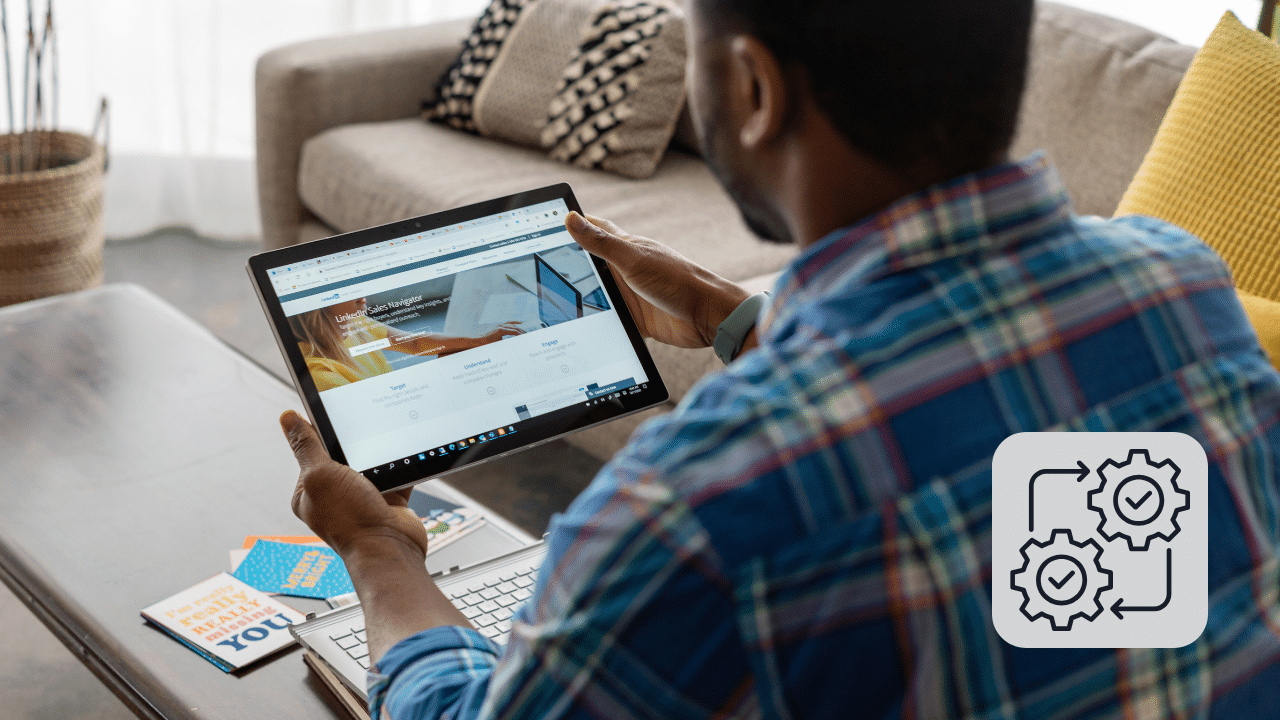
LinkedIn has over one billion members as of 2024, and roughly 65 million of them are in decision-making roles. It is, by a significant margin, the most concentrated professional network on the planet for B2B prospecting. That fact makes it attractive. It also makes it brutally competitive.
The practical problem is time. A sales professional doing manual LinkedIn outreach spends between 10 and 15 hours a week on tasks that follow almost identical patterns: searching for prospects by role, industry, and company size; sending connection requests; following up when someone accepts; nurturing the conversation toward a meeting. These steps are repeatable, predictable, and essential. They are also the definition of work that can be handled systematically.
That is the gap LinkedIn automation fills. Cloud-based platforms like Snaily.io allow sales, marketing, and recruitment teams to build multi-step outreach sequences, apply advanced prospect filters, and manage campaign performance from a single dashboard, while keeping their focus on conversations that actually require a human.
This guide breaks down how LinkedIn automation actually works, what results you can realistically expect, where the risks are, and how to run campaigns that do not put your account at risk.
Table of contents
- Key Advantages of Automating Your Professional LinkedIn Network
- What the data says about LinkedIn outreach and automation
- Streamlining Collaborative Workflows for Sales and Recruitment Teams
- What you should automate and what you should keep human
- The Importance of Secure Profile Warm-up and Smart Boundaries: LinkedIn Lead Generation & Networking Automation
- The real risks of LinkedIn automation and how to manage them
- How to write LinkedIn automation messages that people actually respond to
- LinkedIn automation FAQ
Key Advantages of Automating Your Professional LinkedIn Network
When a business decides to step away from manual manual tracking and transition toward programmatic outreach. So, the immediate benefit is the compound effect of scale. LinkedIn automation enables marketing, sales. Moreover, recruitment teams to set up complex multi-step communication flows that execute seamlessly in the background. While the team focuses on converting warm leads.
An efficient automated network system delivers several core features that streamline daily corporate operations:
- Smart Campaign Management. Creating automated sequences with personalized messages that adapt based on whether a prospect accepts a request or replies.
- Advanced Target Filtering. Extracting specific lists of contacts from standard search queries or Premium Sales Navigator filters to target the exact decision-makers.
- Comprehensive Team Analytics. Monitoring response rates, campaign conversion tracking, and overall performance metrics across multiple connected profiles.
- Network Management and Safety. Smart cooldown systems and human-like delays that respect the platform’s limits and protect your corporate profiles from restrictions.
- Data Integration and Exporting. Seamlessly downloading captured contact lists into CSV or TXT formats or connecting them to central CRMs via webhooks.
What the data says about LinkedIn outreach and automation
Before making the case for automation, it is worth understanding why LinkedIn outreach performs the way it does.
LinkedIn-published data consistently shows that InMail messages generate response rates roughly three times higher than standard email. Connection request acceptance rates vary significantly by industry and targeting quality, but well-targeted campaigns with personalized notes typically see acceptance rates between 25 and 45 percent. Generic mass-sent requests without personalization often land below 15 percent.
Response rates on follow-up messages after a connection is accepted are another useful signal. First-touch follow-ups sent within 24 hours of acceptance consistently outperform delayed ones. Sequences that include a relevant piece of content or a specific hook tied to the prospect’s profile or recent activity convert at higher rates than generic “just reaching out” messages.
These patterns explain why automation, when done thoughtfully, can improve output without degrading quality. Sending connection requests manually does not give a human an insight advantage over a well-configured automated sequence. What it does is consume time that could be spent on calls, demos, and relationship deepening.
The efficiency case is also measurable. A sales professional sending 25 connection requests per day manually spends roughly 45 to 60 minutes on that task alone. An automated campaign running within LinkedIn-safe daily limits frees that time entirely while maintaining or improving the consistency and personalization of the outreach.
For teams that need a broader view of how AI drives measurable business growth across functions, the gains from systematic outreach automation are consistent with what AI adoption delivers in customer-facing roles more generally.
Streamlining Collaborative Workflows for Sales and Recruitment Teams
Modern business outreach is rarely a solo endeavor. Which is why premium automation platforms prioritize shared spaces and team management capabilities. When multiple team members are targeting similar industries or geographic regions. Coordination is crucial to avoid double-contacting prospects and harming the brand’s reputation. Centralized management tools allow managers to allocate profiles. Distribute lead lists, and ensure a unified corporate voice across all active campaigns.
Furthermore, integrating automation tools into your daily sales framework allows for clear segmenting according to target audiences:
- Sales Professionals. Instantly finding buyers, interacting with saved search lists, and sending automated follow-ups to nurture interest.
- Talent Recruiters. Reaching out to passive candidates, scaling interview invites, and tracking talent pool engagement without manual copy-pasting.
- Brand Influencers. Expanding professional reach, growing follower bases, and building corporate authority through consistent, automated ecosystem interactions.
- Agency Managers. Running multiple client accounts simultaneously from one master platform while generating clean, white-label statistical reports.
What you should automate and what you should keep human
This is a distinction most automation guides skip entirely, and it matters more than any feature list.
Automation works best on the repetitive, high-volume, pattern-based steps of LinkedIn outreach. It works poorly on the moments where authenticity, timing judgment, and genuine relationship building determine the outcome.
Automate these tasks: Sending connection requests to filtered prospect lists, including the initial note if it follows a consistent template that performs well. Following up after a connection is accepted with a pre-written first message that introduces context and opens a conversation. Scheduling subsequent follow-ups in a sequence if the prospect has not replied. Exporting contact data from LinkedIn searches or Sales Navigator results to your CRM. Tracking which campaigns generate replies, which messages get ignored, and where sequences drop off.
Keep these human: The moment a prospect replies. As soon as someone responds to your outreach, a real person should take over. Automated replies to human messages destroy trust immediately and are often detectable. Personalization that requires genuine research, for example if you are reaching out based on a specific article they published or a post they made last week. Relationship-building conversations with warm leads who are close to a decision. Any message that needs to feel like a 1-to-1 interaction rather than a process step.
The best-performing LinkedIn campaigns run automation up to the point of reply, then hand the conversation to a person who has context on the campaign and the sequence history. This handoff is where AI-assisted customer engagement systems and CRM integrations prove their value, since they make sure nothing falls through the gap.
The Importance of Secure Profile Warm-up and Smart Boundaries: LinkedIn Lead Generation & Networking Automation
The biggest mistake a company can make when adopting automation is jumping into maximum limits too quickly. Professional profile development requires an organic growth approach where message volumes increase gradually over time. Smart automation systems handle this behavior natively, mimicking real mouse movements, randomizing delays, and maintaining regular browser cookies to ensure that your business growth remains steady, secure, and entirely within optimal compliance standards.
In conclusion, scaling your business outreach in today’s digital climate requires a deliberate shift toward intelligent software systems that do the heavy lifting for you. Embracing professional platform automation allows companies to move past data entry tasks and step into high-level strategic communication.
Whether your goal is finding new corporate clients, discovering industry talent, or expanding your personal brand, a robust cloud automation platform provides the framework needed to win at modern B2B networking. Invest in systemic efficiency, protect your digital assets with top-tier safety features, and let modern engineering turn your LinkedIn presence into a continuous machine for corporate growth. The future of networking belongs to those who successfully combine personal relationship-building with automated operational precision.
The real risks of LinkedIn automation and how to manage them
LinkedIn’s User Agreement explicitly prohibits using automated tools to interact with the platform in ways that bypass normal usage patterns. That does not mean automation is impossible or universally punished. It means it needs to be done carefully and within real limits.
LinkedIn monitors accounts for signals that suggest non-human activity: high-volume actions in short windows, activity at unusual hours, inconsistent session timing, browser fingerprints that do not match expected patterns, and rapid sequential actions with no natural pauses. When these signals trigger a flag, consequences range from a warning message, to a temporary content lock, to a permanent restriction.
The tools that survive this environment are the ones built with behavioral mimicry at their core. This means randomized delays between actions rather than mechanical uniformity, varying daily action volumes rather than hitting the same number every day, operating within a cloud-based browser session that does not look different from a regular user’s session, and respecting the platform’s unofficial daily limits even when the tool technically allows higher volumes.
Practically, the limits worth respecting in 2026 are roughly the following:
Connection requests: no more than 20 to 25 per day for accounts under six months old, and no more than 40 to 50 per day for established accounts. First messages after connection: no more than 50 to 80 per day. Profile views triggered by scraping or sequencing: keep these in a range that looks like active browsing rather than mass extraction.
LinkedIn Sales Navigator accounts have slightly higher tolerance thresholds than free accounts, partly because LinkedIn expects more active usage from paying subscribers.
Account warm-up is equally important and directly affects safety. A brand new LinkedIn profile jumping to 50 daily connection requests on day one is a clear automation signal. Smart warm-up means starting at 5 to 10 actions per day and increasing gradually over four to six weeks until you reach your target volume. This mimics how an organic user would expand their activity as they grow more familiar with the platform.
Digital marketing automation broadly follows similar logic: tool selection matters, but implementation discipline is what determines whether the tool helps or hurts.
How to write LinkedIn automation messages that people actually respond to
Automation handles delivery. You still have to write the messages, and this is where most campaigns quietly fail.
The most common mistake is treating automation as a volume play. Sending 500 generic messages per week will produce fewer replies than sending 100 well-crafted messages, and it will produce more account risk at the same time.
The messages that perform best share a few consistent characteristics.
They reference something specific. Even one sentence that shows you looked at the person’s profile or noticed something relevant to their role converts significantly better than an opener that could have been sent to anyone. “I saw you recently moved into a new VP role at a healthtech company” converts better than “I noticed we are both in healthcare.” The first one takes 15 seconds of research. The second takes none and reads like every other message in the inbox.
They are short. Long first messages get scrolled past. The goal of the first message is a reply, not a sale. Two to four sentences is plenty. Introduce yourself, name the reason you are reaching out, and ask one clear question.
They follow a realistic sequence. A three-step sequence works for most categories: initial connection request with a brief context note, first follow-up 48 to 72 hours after acceptance, second follow-up five to seven days later if no reply. More than three touches without a response usually means the prospect is not interested at this time. Continuing past that point increases opt-out rates and spam signals.
They do not pitch immediately. The fastest way to kill a LinkedIn campaign is to open with a product pitch. People connect on LinkedIn because they want to grow their network, not because they want to be sold to in the first message. Build a small amount of context before you make any ask.
For teams already transforming their workflows with AI tools, message testing and A/B sequencing within automation platforms give you the data to refine what works without months of manual experimentation.
LinkedIn automation FAQ
LinkedIn’s User Agreement restricts automated activity that scrapes data, spams users, or mimics human behavior at scale in ways that violate platform policies. Practically, this means some automation is tolerated and some is not. Cloud-based tools that operate within normal usage limits, apply human-like delays, and avoid bulk scraping are far less likely to trigger account restrictions than desktop scripts or tools that hit high action volumes in short windows. That said, no automation tool comes with a guarantee, and account risk varies by tool, volume, and account age.
LinkedIn does not publish official limits, but the community consensus based on account restriction patterns suggests a safe range of 20 to 25 requests per day for newer accounts and 40 to 50 for established accounts with good standing. Sales Navigator users generally have slightly more tolerance. Starting lower and scaling gradually is always the safer approach.
A LinkedIn outreach sequence is a pre-built series of messages sent automatically at defined intervals to a prospect. A typical sequence includes a connection request note, a first follow-up after acceptance, and one or two additional follow-ups if there is no reply. Sequences stop automatically when a prospect responds, so no one receives an automated message after a real conversation has started.
Most professional automation platforms support data export via CSV or direct CRM connection through webhooks or native integrations. When a prospect accepts a connection request or replies to a message, that contact and their interaction data can be automatically pushed to HubSpot, Salesforce, Pipedrive, or similar platforms. This keeps your pipeline up to date without manual data entry. For a deeper look at how AI systems help turn leads into long-term client relationships, that guide covers the full conversion lifecycle.
For a B2B sales team, the highest-value features are advanced prospect filtering (to target the right decision-makers rather than broad industries), message sequence personalization (the ability to insert dynamic variables like name, company, and role), reliable attribution tracking (to know which campaigns drive pipeline), CRM integration, and safety features that prevent account restrictions. The ability to manage multiple profiles from one dashboard matters for agencies and larger teams running outreach across several accounts.
Most campaigns begin showing measurable response rates within two to three weeks, which is roughly the time needed to move through a full sequence with a meaningful number of prospects. However, pipeline results (not just replies, but meetings booked and deals advanced) typically take four to eight weeks to become statistically readable. The first month is best treated as a testing and calibration phase where you identify which messages, filters, and sequences perform best before scaling volume.
