




You know Excel inside out. Pivot tables, VLOOKUP, complex formulas, maybe even VBA macros. Yet you’re still spending hours on tasks that feel like they should be automated. Copying data between files. Reformatting reports. Running the same analysis on new data every week. In this article, we’ll explore the process from Excel to Python and understand why data professionals are making the switch.
This is the ceiling every Excel power user hits. The tool that made you productive now limits your productivity. Python data automation breaks through that ceiling and your Excel expertise makes you perfectly positioned to learn it. For a complete guide to making this transition, this Python data automation resource covers everything from first steps to advanced techniques.
The Excel Ceiling: Signs You’ve Hit It
Recognize these patterns?
- File management nightmares. You have Report_Final_v2_FINAL_updated.xlsx and can’t remember which version is actually current. Manual file handling doesn’t scale.
- Copy-paste repetition. Every week or month, you copy data from source files, paste into your analysis workbook, and repeat the same steps. The process works but wastes hours.
- Formula complexity spiraling. Your formulas nest so deeply that debugging takes longer than the original task. One change breaks cascading dependencies.
- Performance grinding. Large datasets make Excel sluggish. Calculations that should take seconds take minutes. Files crash during saves.
- Multi-file struggles. Combining data from dozens of files means dozens of manual open-copy-paste-close cycles. There has to be a better way.
- VBA hitting walls. Your macros work, but they’re fragile, hard to debug, and don’t play well with modern data sources like APIs or web data.
If three or more of these sound familiar, you’ve hit the Excel ceiling. Python is the breakthrough.
Why Excel Skills Translate to Python
Your Excel expertise isn’t wasted. In addition, it accelerates Python learning:
- You already think in data structures. Rows, columns, filtering, sorting — these concepts map directly to Python’s pandas library. DataFrames are essentially programmable spreadsheets.
- You understand data operations. Merging datasets (VLOOKUP becomes merge), pivoting data, calculating aggregates. So, you know what these operations do. Python just executes them differently.
- You know what problems need solving. Unlike someone learning Python abstractly, you have concrete use cases. That motivation and direction dramatically accelerates learning.
- You’ve debugged complex logic. Tracing through nested Excel formulas develops systematic debugging thinking. Python debugging is more straightforward.
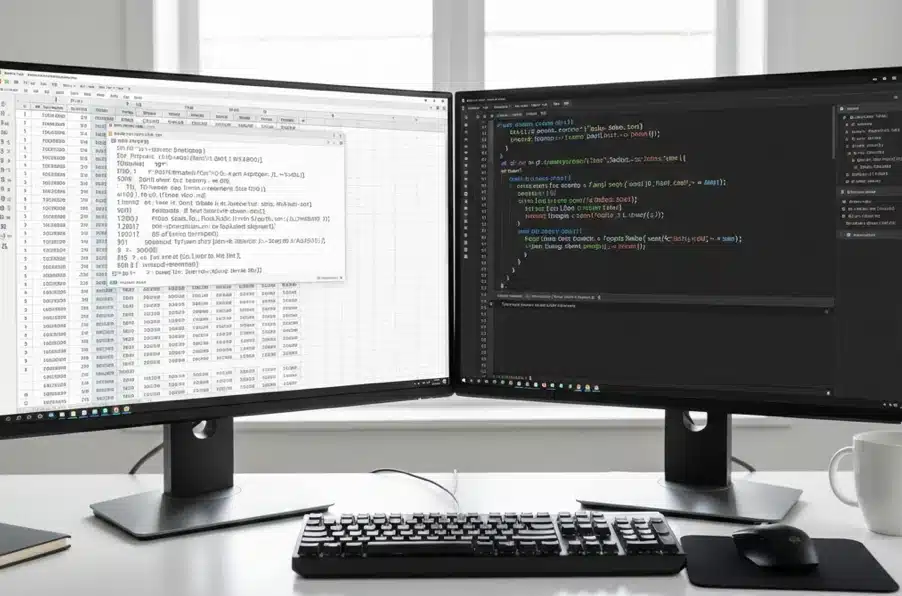
Excel vs Python: Real Comparisons
Concrete examples of the same task in both tools:
Combining 50 Monthly Reports
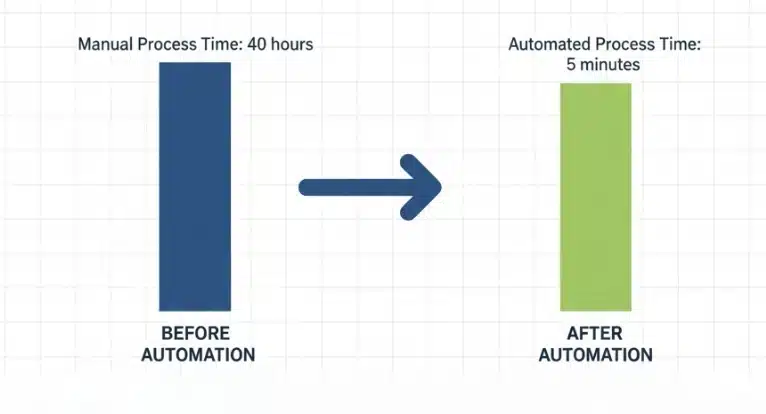
Excel approach: Open each file. Copy relevant range. Paste into master workbook. Repeat 49 more times. Pray nothing was missed. Time: 2-3 hours.
Python approach: Write 10 lines of code that loops through all files automatically. Run script. Time: 30 seconds (after initial 30-minute script creation). Every subsequent month: still 30 seconds.
Cleaning Inconsistent Data
Excel approach: Find and replace for each variation. Manual review for edge cases. Formulas to standardize formats. Hope you caught everything. Time: variable, often hours for large datasets.
Python approach: Define cleaning rules once. Apply to entire dataset with one command. Review exceptions report. Reusable for future data. Time: minutes after setup.
Pulling Data from Multiple Sources
Excel approach: Limited. Web queries are fragile. APIs require complex workarounds. Manual download and import for most sources.
Python approach: Native support for APIs, web scraping, databases, and file formats. Automated data collection on schedules. Sources that seemed impossible become routine.
Scheduled Report Generation: Excel to Python
Excel approach: You manually run it. Every time. VBA can help but scheduling is awkward and unreliable.
Python approach: Schedule scripts to run automatically. Oovernight, hourly, whatever’s needed. Reports appear in inboxes without your involvement.
The Transition Path for Excel Users
A roadmap specifically for Excel power users:
Week 1-2: Python Basics Through Familiar Lens
Learn Python fundamentals but connect everything to Excel concepts you know:
- Variables → Cell references that you name yourself
- Lists → Single columns of data
- Dictionaries → Two-column lookup tables
- Loops → Applying formula to range, but explicit
- Functions → Your own custom Excel functions
Focus: understand enough Python to read and modify simple scripts. Don’t aim for mastery yet.
Excel to Python Week 3-4: pandas = Programmable Excel
pandas is your gateway. It feels like Excel because it handles tabular data similarly:
- DataFrames → Worksheets
- Reading CSVs and Excel → Opening files
- Filtering rows → AutoFilter
- Selecting columns → Hiding/showing columns
- Merge operations → VLOOKUP
- GroupBy → Pivot tables
Focus: replicate one of your common Excel tasks in pandas. The familiar operation in a new tool builds confidence.
Week 5-6: Automate Your First Real Task
Pick something you actually do repeatedly:
- Combining monthly files into a summary
- Cleaning and standardizing a recurring data dump
- Generating a formatted report from raw data
Build the complete automation. Experience the satisfaction of a script doing in seconds what took you hours.
Excel to Python Week 7-8: Expand Beyond Excel’s Limits
Now tackle things Excel couldn’t do well:
- Pull data from a website automatically
- Connect to an API your company uses
- Process files too large for Excel to handle
- Schedule something to run without your involvement
This is where Python’s value becomes undeniable. So, you’re doing things that were previously impossible, not just faster.
What Excel Users Find Surprisingly Easy
Common reactions from Excel users learning Python:
“Filtering is actually simpler.” Excel’s AutoFilter requires clicks. Python: one line describes exactly what you want. More explicit, less clicking.
“Combining files is trivially easy.” What took hours of copying becomes a loop that processes unlimited files in seconds.
“Reading my code later makes sense.” Unlike nested Excel formulas or VBA spaghetti, well-written Python reads like instructions. Future you understands past you.
“Errors tell me what’s wrong.” Python error messages point to specific lines with specific problems. Excel’s #REF! and #VALUE! reveal almost nothing.
What Takes Adjustment: Excel to Python
Honest challenges in the transition:
Setup friction. Excel is already installed. Python requires installation, environment setup, library installation. This initial friction discourages some. Push through it once and it’s done.
No visual grid. You can’t see data changing as you type. This feels uncomfortable initially but becomes freeing. So, you work faster without visual updates slowing things down.
Thinking in sequences. Excel calculates everything simultaneously. Python executes line by line, top to bottom. Understanding this sequence takes adjustment.
Remembering syntax. Excel autocompletes function names. Python requires remembering or looking up syntax. This improves with practice, and editors help.
Your First Week Action Plan
Make the transition concrete:
Day 1: Install Python and a code editor (VS Code recommended). Run a “Hello World” script to confirm everything works.
Day 2-3: Complete a basic Python tutorial covering variables, lists, and loops. Spend 1-2 hours total.
Day 4-5: Install pandas. Load one of your actual Excel files into a DataFrame. Just load it and look at it. Finally, this alone is a milestone.
Day 6-7: Filter that data by a condition relevant to your work. Export the filtered result back to Excel. You’ve completed your first Python data automation.
One week. A few hours total. You’ll have processed real data with Python. The rest is building on this foundation.
The Ceiling Becomes a Floor
Excel’s ceiling becomes Python’s floor. Skills that took you years to develop in Excel — data intuition, analytical thinking, problem-solving. So, transfer immediately. You’re not starting over; you’re upgrading.
The professionals who make this transition don’t abandon Excel. They use both strategically: Python for automation and heavy processing, Excel for quick analysis and sharing with non-technical colleagues. The combination is more powerful than either alone.
That repetitive task consuming your hours? In a few weeks, it could run while you sleep. The transition starts with one decision: begin.